One page.
Every screen.
Breakpoint Studio is a free Chrome extension that shows any website on phones, tablets, laptops and desktops side by side. Scroll, click or type on one and every device follows. Coming soon to the Chrome Web Store.
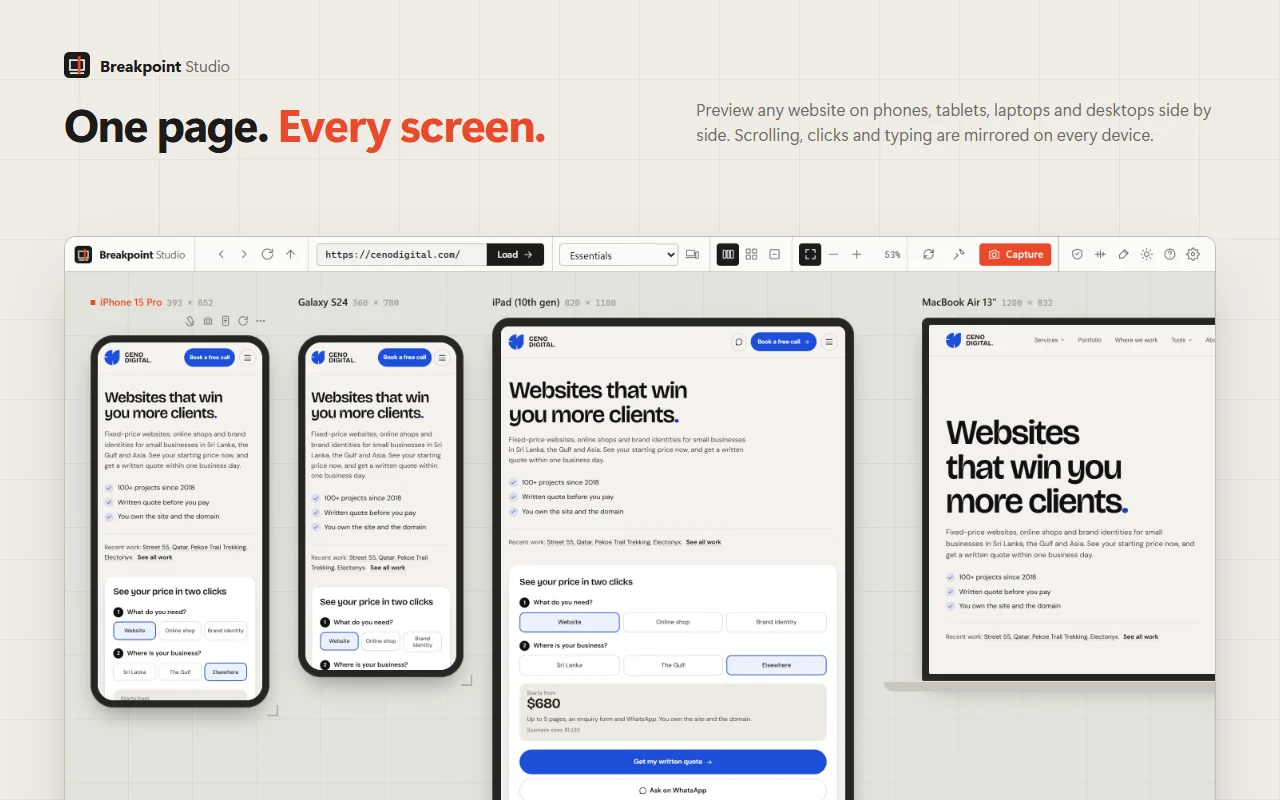
Built for checking a site before the client does.
We build and test websites every day. Breakpoint Studio is the tool we wanted: one place to see every screen, find what breaks and send the client something they can understand.
- 36devices built in
- 5framework breakpoint sets
- 6responsive audit checks
- $0no account, no paid tier
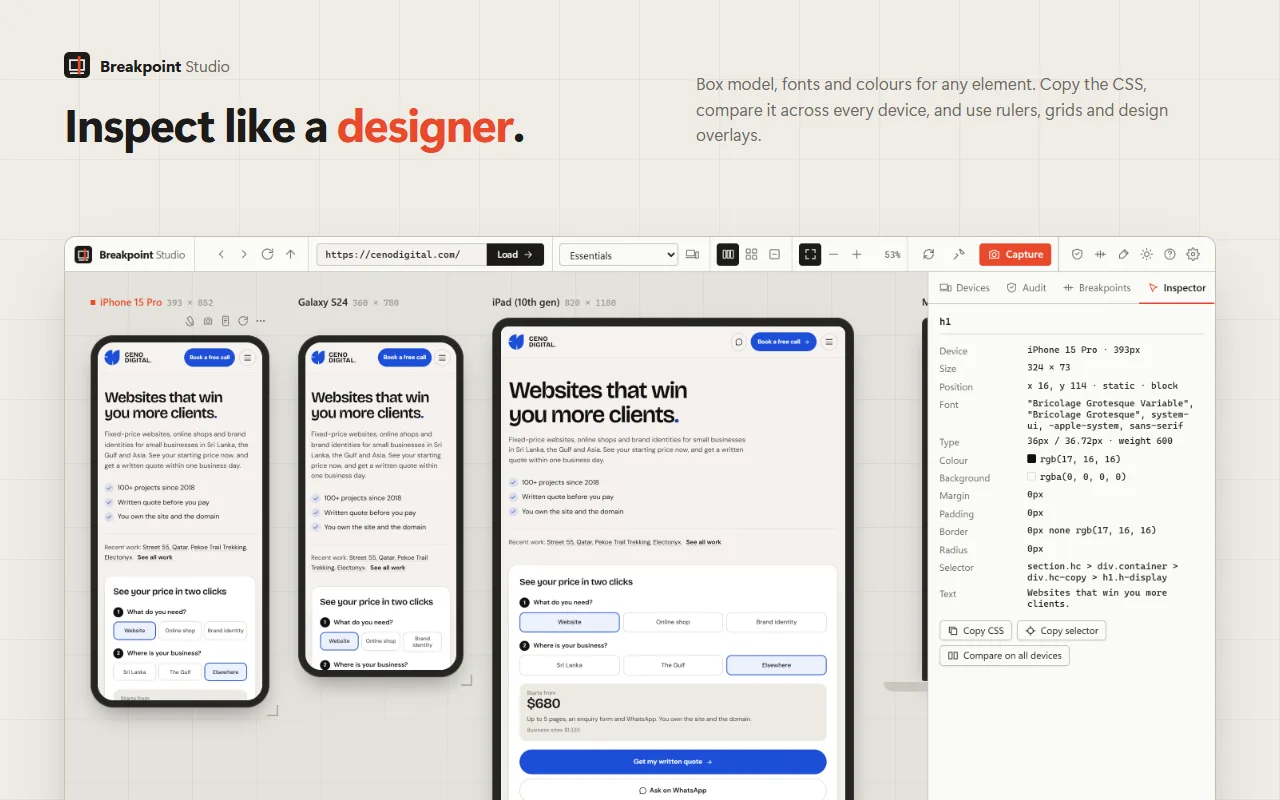
Inspect any element
Click a heading on the phone and see its font, size, colour, margin and selector. Copy the CSS, or compare that element on every device in one table.
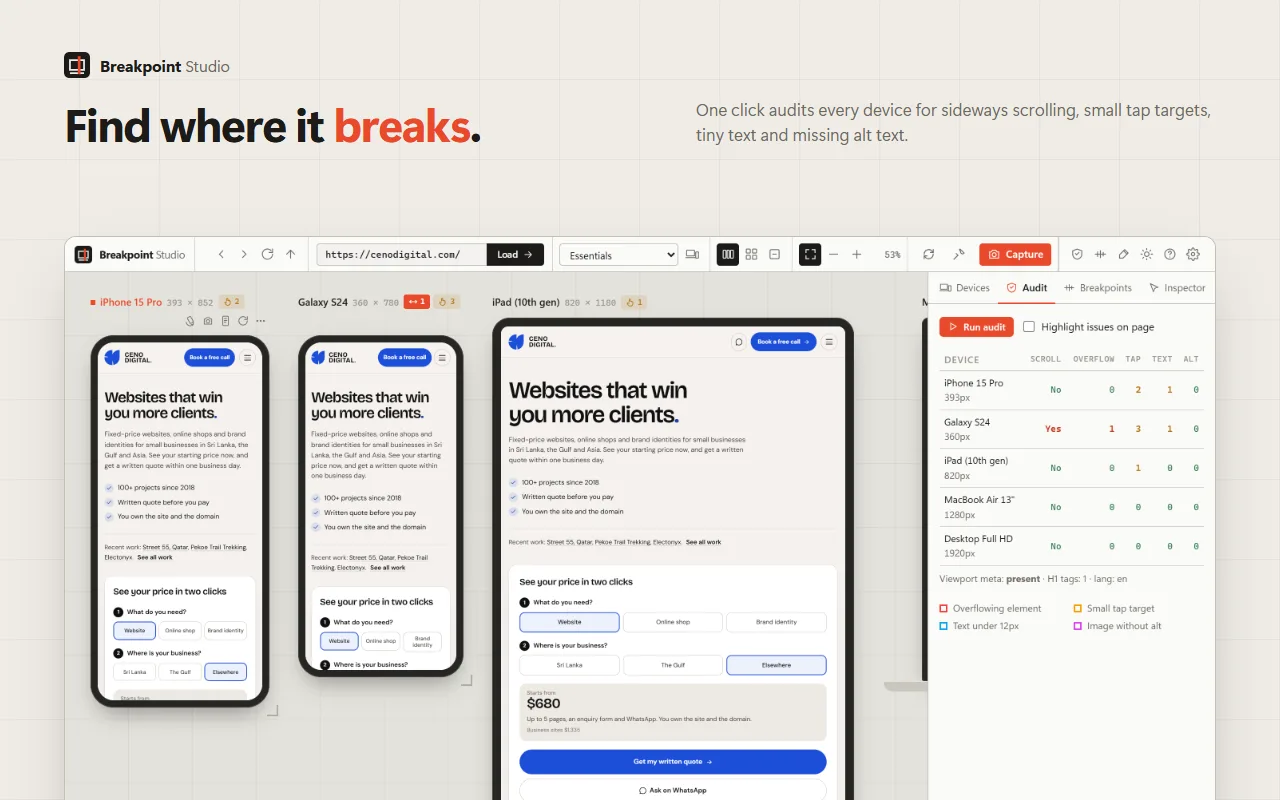
Find where it breaks
Run the audit and each device gets a count of what is wrong: sideways scrolling, overflowing elements, small tap targets, tiny text and missing alt text.
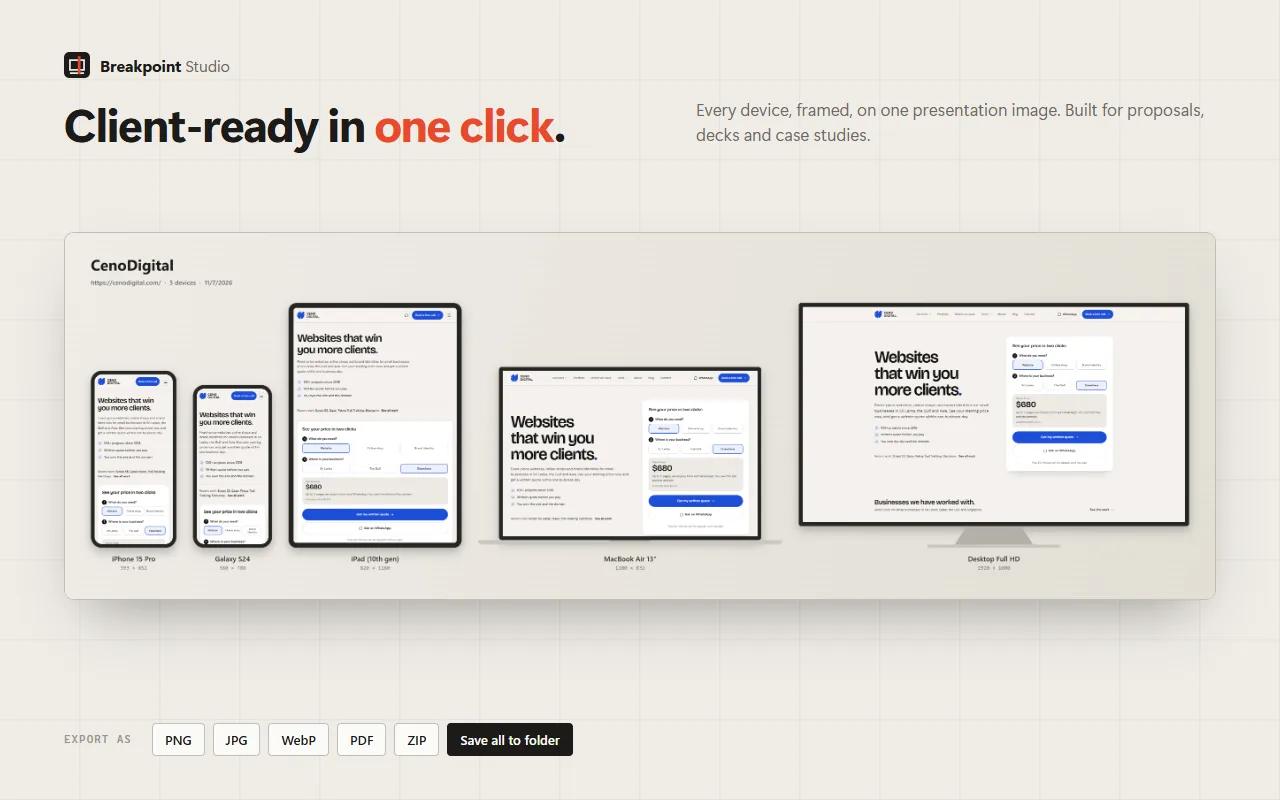
Client-ready in one click
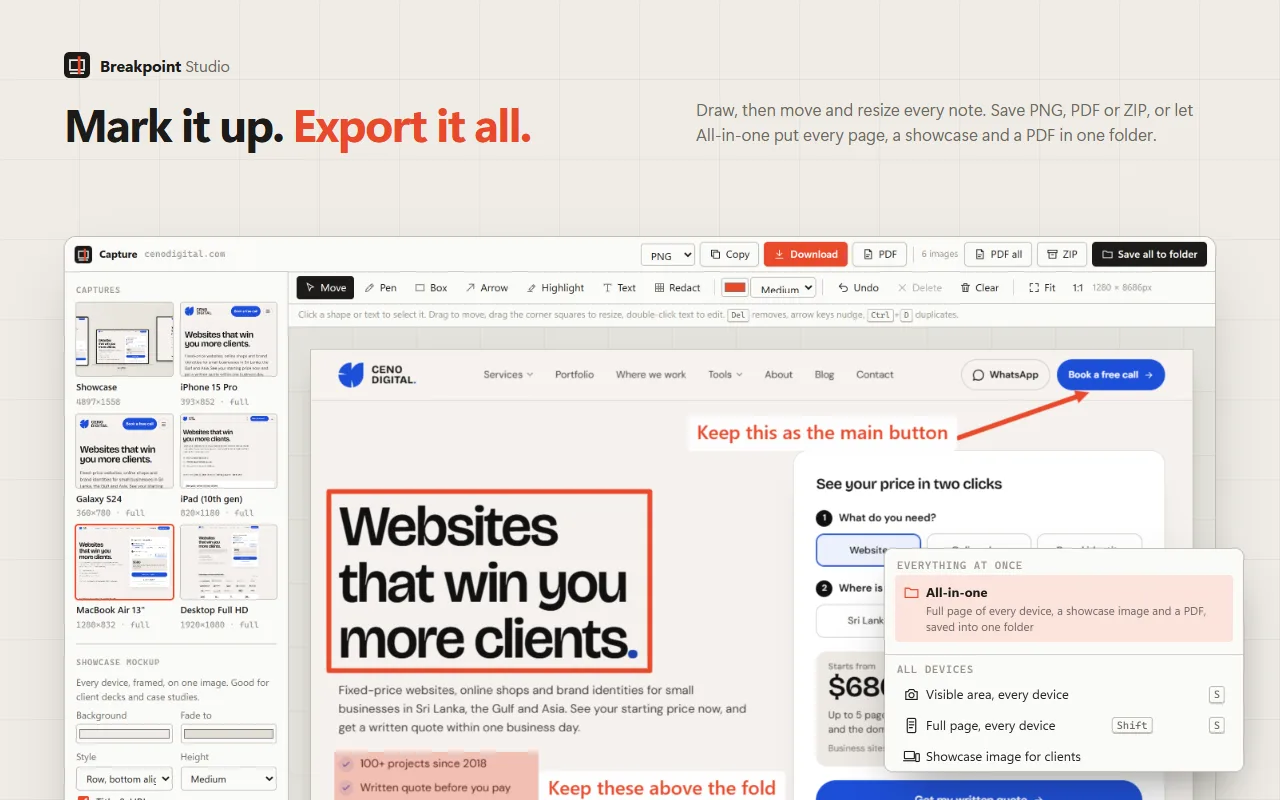
Every device, framed, on one image. Use it in proposals, sign-off emails and case studies, or save it as PNG, JPG, WebP, PDF or ZIP.
Mark it up, then send it
Draw arrows, boxes and notes on any capture, redact what should stay private, and move or restyle every note before you export.
Everything in it.
All of this is in the free version, because there is only one version.
Every screen at once
- 36 devices, from iPhone SE to a 4K display, including Galaxy, Pixel, Fold, iPad, Surface and MacBook
- One-click breakpoint sets for Tailwind, Bootstrap, Material, Foundation and Chakra
- Scrolling, clicks, typing and navigation mirrored on every device
- Drag a corner to resize any device, rotate it, or drag to reorder
- Save your own devices and sets, and share them with your team as a file
- Works with localhost, staging servers and local files
Design tools
- Inspect any element: box model, font, size, line height, colours, margin and padding
- Copy the CSS, and compare the same element on every device in one table
- Ruler, drag-to-measure, column grid and baseline grid
- Pixel-perfect overlay: place your mockup over the live site, with a difference mode
- Outline every element and pick any colour on screen
- Preview dark mode, reduced motion and six types of colour blindness
Responsive audit
- One click checks every device for sideways scrolling and elements wider than the screen
- Flags tap targets under 44px, text under 12px, images without alt text and a missing viewport tag
- Problems show as badges on each device and can be highlighted on the page
- The breakpoint detector reads the site's CSS and lists every width where the layout changes
Screenshots and export
- Visible area or full page, for one device or all of them
- Showcase image: every device framed on one presentation image
- All-in-one: every full page, a showcase image and a PDF saved into one folder
- Editor with pen, box, arrow, highlight, text and redact
- Export as PNG, JPG, WebP, PDF or ZIP, or copy to the clipboard
- Full-page screenshot of any normal tab from the toolbar or the right-click menu
Keyboard first.
Inside the studio, single keys switch tools: R reload, F fit, I inspect, M ruler, G grid, A audit, S screenshot every device.
- Alt + Shift + R
- Open the current page in the studio
- Alt + Shift + P
- Full-page screenshot of the current tab
- Alt + Shift + B
- Open the toolbar popup
- ?
- Every shortcut inside the studio
Private by design.
No analytics, no tracking, no accounts and no servers of our own. Settings stay in your browser, and screenshots are deleted after 3 days unless you download them. Websites you preview load straight from their own servers, as in a normal tab.
Breakpoint Studio is coming to Chrome
It is being prepared for the Chrome Web Store. Leave your email and we will send you the link the day it is live.
Questions, answered.
Is Breakpoint Studio really free?
Yes. Every feature is free. There is no account, no premium tier, no trial and no ads.
When can I install it?
It is coming to the Chrome Web Store. Email us and we will tell you the day it goes live.
Does it collect my data?
No. It has no analytics, no tracking and no servers of its own. Settings and screenshots stay in your browser. The privacy policy lists exactly what it stores and why it needs each permission.
Why does it ask for access to all websites?
To show the website you choose inside the device frames, run the design tools inside them and capture screenshots. It only changes how a page loads inside an open Breakpoint Studio tab. Normal browsing is not affected.
Does it work with localhost and staging sites?
Yes. It works with local development servers, staging sites and local HTML files, as well as live websites.
Is it the same as a real phone?
It matches each device's screen size, pixel density and mobile browser identity, which is what most responsive bugs depend on. It still runs in Chrome, so test on real phones before launch for anything specific to Safari or a particular device.
Breakpoint Studio is a free product of CenoDigital. We design brands and build websites, online shops and custom apps for clients in Sri Lanka, the Gulf and Asia.
Let's talk about
your website.
The call is free.
30 minutes on a video call with the founder. We learn the business, you decide if we're the right team. Decide nothing else on the call.