Your fonts,
always up
to date.
Typeshelf is a free font manager for Windows. Turn fonts on and off without admin rights, browse Google Fonts and Fontshare, and let installed families update themselves, with one-click rollback if you change your mind.
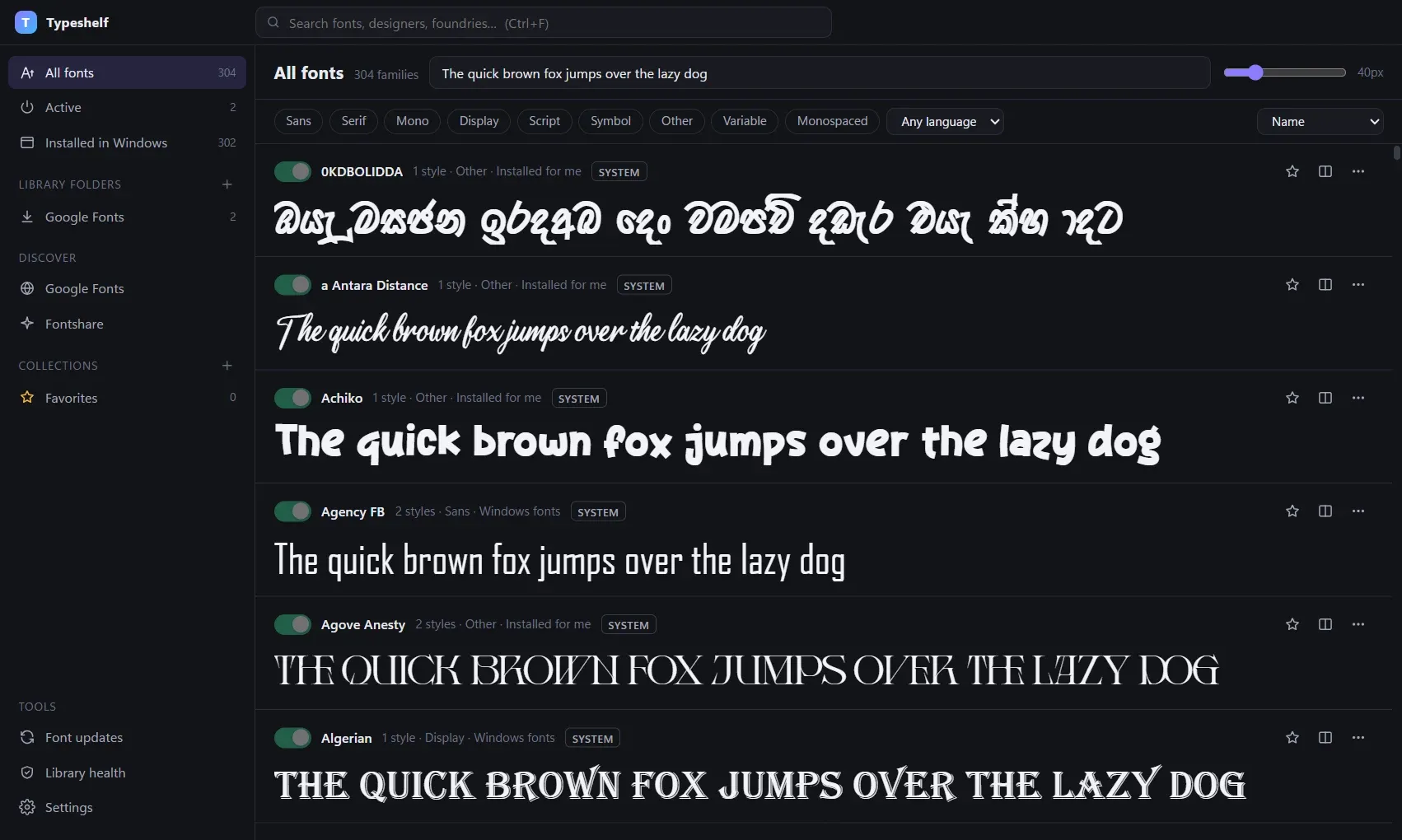
Everything a font manager should do. Plus updates.
Typeshelf covers the everyday jobs and adds the one most font managers skip: keeping the fonts you download current.
-
Fonts on and off in one click
Activate fonts for your Windows account without admin rights or copying files into C:\Windows\Fonts. Keep them permanently, or only until you quit.
-
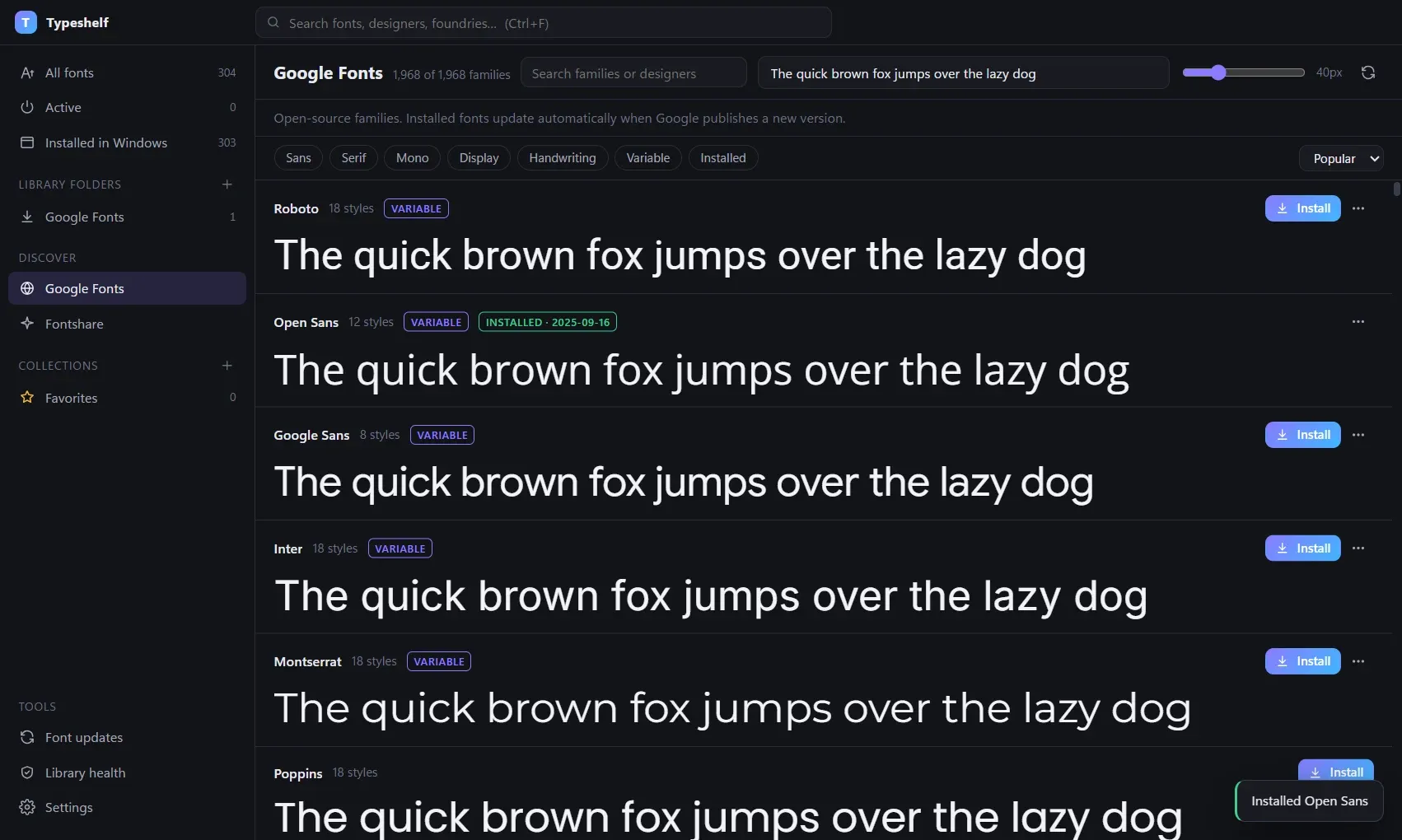
Fonts that update themselves
Families you install from Google Fonts or Fontshare are checked for new versions in the background, validated, swapped in, and switched straight back on.
-
One-click rollback
Didn't like an update? Roll back to the previous version in one click. Typeshelf keeps it, and pauses updates for that family until you say so.
-
Live reload while you design
Drop a new version of a font you are working on into a watched folder and Photoshop, Figma or Word see it straight away.
-
Find the right font fast
Search and filter by category, variable fonts, monospace and language support, including Sinhala, Tamil, Devanagari, Arabic and CJK.
-
Type tester and glyphs
Variable-axis sliders, OpenType features, a waterfall view, a searchable glyph browser and an @font-face CSS generator.
Install once.
Stay current.
Google Fonts and Fontshare publish improved versions all the time: new weights, more languages, better spacing. Typeshelf picks them up for you.
- 01
Install from the catalogue
Pick a family from Google Fonts or Fontshare. Variable or static, your choice.
- 02
Typeshelf checks for updates
Shortly after you start your PC, then every few hours. Pause any family at any time.
- 03
Validated, swapped, re-activated
New files are checked before they replace the old ones. If anything fails, your fonts stay exactly as they were.
Get Typeshelf
Free for Windows 10 and 11 (64-bit). Installs for your account only, no admin rights needed. Updates itself.
Questions, answered.
Is Typeshelf really free?
Yes. Typeshelf is free and open source under the GNU GPL v3. There is no account, no trial and no paid tier. The source code is on GitHub.
Do I need admin rights?
No. Typeshelf installs and activates fonts for your own Windows account only, so it works on locked-down work laptops too.
Which versions of Windows does it support?
Windows 10 and Windows 11, 64-bit.
Why does Windows show "Windows protected your PC"?
New apps show this warning until they have been downloaded enough times or are code-signed. Click More info, then Run anyway. We are setting up free code signing for open-source projects to remove it.
Does Typeshelf include or sell fonts?
No. Fonts you download come straight from Google Fonts or Fontshare under their own licences, shown on each family's Info tab. Most are free for commercial use.
What does Typeshelf send over the internet?
Only what it needs: the Google Fonts and Fontshare catalogues, the fonts you choose to install, and update checks for those fonts and for Typeshelf itself. No account, no ads, no tracking.
What happens to my fonts if I uninstall it?
The uninstaller asks whether to turn off the fonts Typeshelf activated. Say no and they keep working.
Typeshelf is built and maintained by CenoDigital. We design brands and build websites and custom apps like this one.
Let's talk about
your website.
The call is free.
30 minutes on a video call with the founder. We learn the business, you decide if we're the right team. Decide nothing else on the call.